
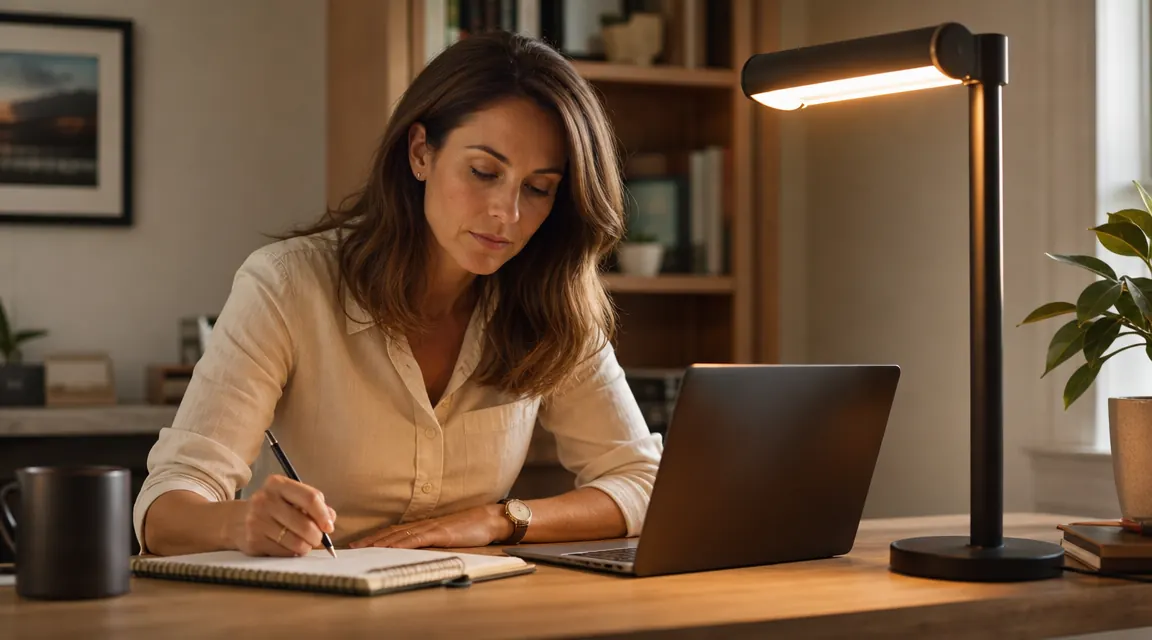
Eight months ago I swapped out the old halogen torchiere I had been using as my primary desk light for this LED lamp. My eyes had been burning by early afternoon most days, and I kept chalking it up to too much screen time. My optometrist disagreed. She asked about my ambient lighting before she even looked at my prescription. That conversation sent me down a rabbit hole, and this lamp was the result. It costs less than a dinner out, has 13,902 Amazon reviews sitting at 4.5 stars, and ships with five color temperature modes plus eleven discrete brightness steps. I was skeptical. I am not skeptical anymore.
This is the long-term review. I have used it through a summer of 10-hour editing days, a fall of video call marathons, and winter evenings when the sun is gone before 5 PM. I know its strengths, I know its limits, and I will tell you both.
The Quick Verdict
A genuinely capable eye-care lamp that earns its place on a working desk. The five color modes do real work, the USB port is convenient, and the price leaves almost no room for complaint. The arm flex could be stiffer and the base clutter is minor, but neither thing broke my daily routine.
Amazon Check Today's Price →Your eyes are tired because your lighting is wrong. This lamp fixes that for under $20.
Over 13,000 buyers gave it 4.5 stars. Touch controls, five color modes, USB charging, flexible arm. Check today's price and availability on Amazon.
Amazon Check Today's Price on Amazon →How I've Used It
My home office is a 10x11 room with one north-facing window. Good for avoiding direct sun glare, bad for natural light in winter. Before this lamp, I was running a warm 60-watt equivalent bulb in an overhead fixture plus that old halogen on the desk. The halogen threw yellow-heavy light and got noticeably warm to the touch after an hour, something that always made me vaguely uneasy.
I positioned this lamp to the left of my monitor, angled so the light falls across the keyboard and desk surface without bouncing off the screen. That placement matters. I used it at roughly 70 percent brightness with the neutral white (4000K) mode as my workhorse setting, switching to the warmest mode in the evening when I wanted to wind down, and bumping to the cool daylight mode during early morning calls when I needed to feel awake. The touch controls made those switches feel natural after about a week.
I kept the lamp on an average of seven hours a day, five days a week, for eight months. That is roughly 1,120 hours of use. Nothing has failed. The touch panel responds the same as it did on day one. The USB port has charged my phone, my wireless earbuds, and once, in a pinch, a friend's portable speaker.
Color Temperature Modes: What Each One Is Actually For
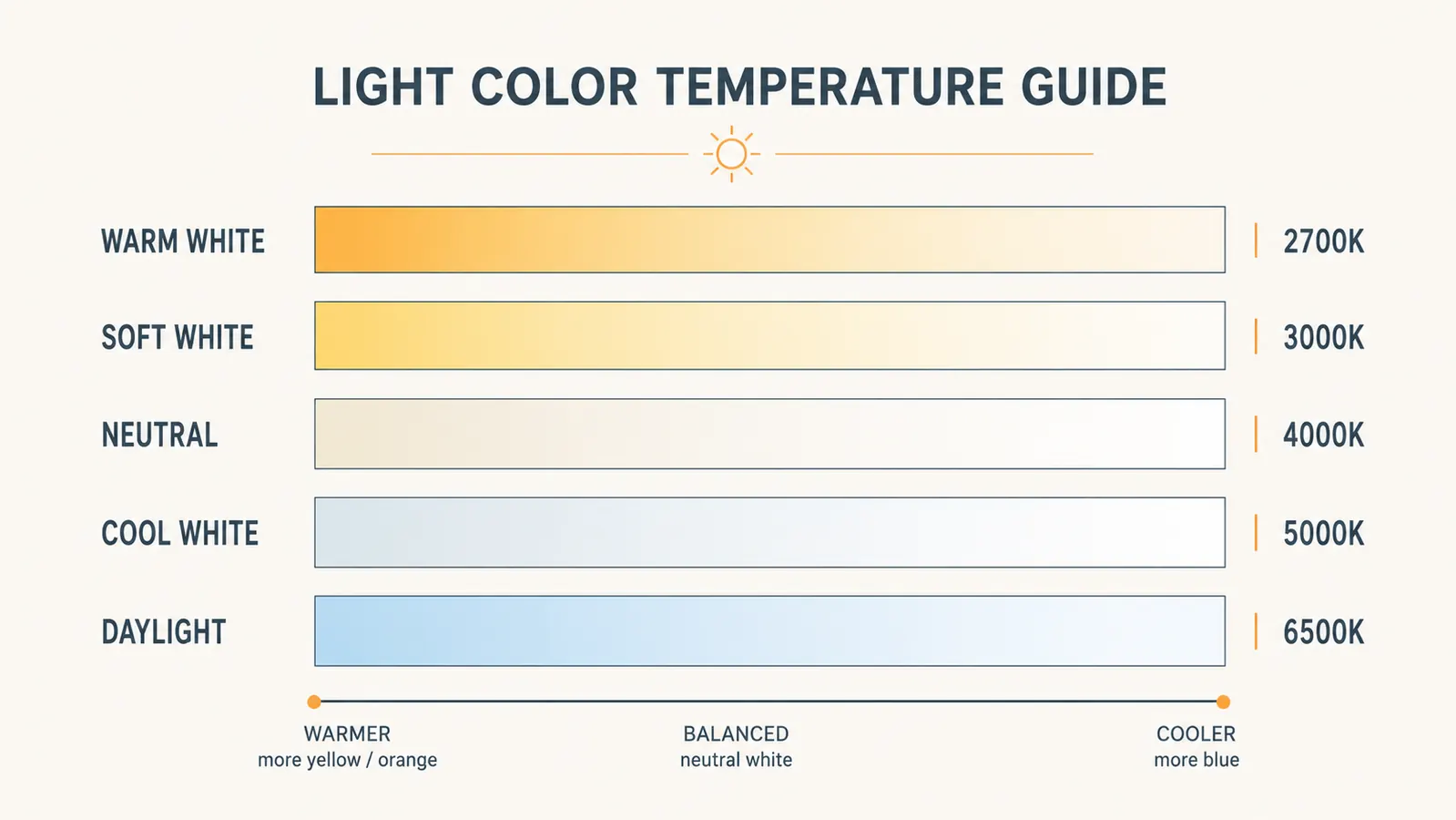
This is where most desk lamp reviews stop at the spec sheet and move on. I want to give you something more useful. The five modes run from roughly 2700K at the warm end to around 6500K at the cool end, with three steps in between. In practice, those steps land at warm white, soft white, neutral, cool white, and daylight.
Warm white (2700K) is the mode I use from about 8 PM onward. At lower brightness, it produces soft amber-toned light that does not signal your brain to stay alert. Research on blue-light exposure before sleep is still contested, but I can tell you anecdotally that switching to this mode an hour before I wrap up genuinely changed how quickly I settled down after late sessions.
Neutral white (4000K) is my daily driver. It reads as clean and bright without the clinical harshness of daylight modes. Documents look accurate under it, colors on my monitor look normal, and my eyes do not feel the tension I used to get with the halogen. If you buy this lamp and are not sure which mode to use, start here.
Daylight (6500K) is sharp and a little cold. I use it during morning calls when I need to feel present. It is not comfortable for long writing sessions, but it does its job when you need to shake off grogginess. Think of it as the espresso shot of lighting modes, useful in the right moment and not something you want all day.
Brightness Range and Flicker: The Numbers That Actually Matter
Eleven brightness levels sounds like marketing padding until you actually use them. The lowest setting is dim enough to use as ambient fill when I do not want the overhead light on in the evenings. The top setting is bright enough that I do not need anything else for reading, writing, or focused work on cloudy days. The range is genuinely useful rather than cosmetic.
Flicker is the thing most people never think about but that absolutely affects how your eyes feel after a long day. Cheap LED lamps with poor drivers flicker at mains frequency, which the eye cannot consciously detect but which adds up over hours of exposure. I do not have calibrated measuring equipment, but I ran a slow-motion phone camera test, which is a rough proxy, and saw no rolling banding at any brightness level. That is a meaningful data point for a lamp at this price. The LEDs appear to be using a PWM frequency high enough that it does not show up in slow-motion footage.
One honest note: at the lowest brightness setting, if you hold your phone camera very close to the light source and look carefully, there is faint pulse. At normal working distance and normal use, this has never bothered me. It would be worth noting for anyone with significant light sensitivity.
The eleven brightness steps are not marketing padding. The lowest setting is usable as ambient fill, and the top is bright enough to replace your overhead on overcast days. That range earns its keep over long sessions.
The USB Charging Ports: Convenient, with One Caveat
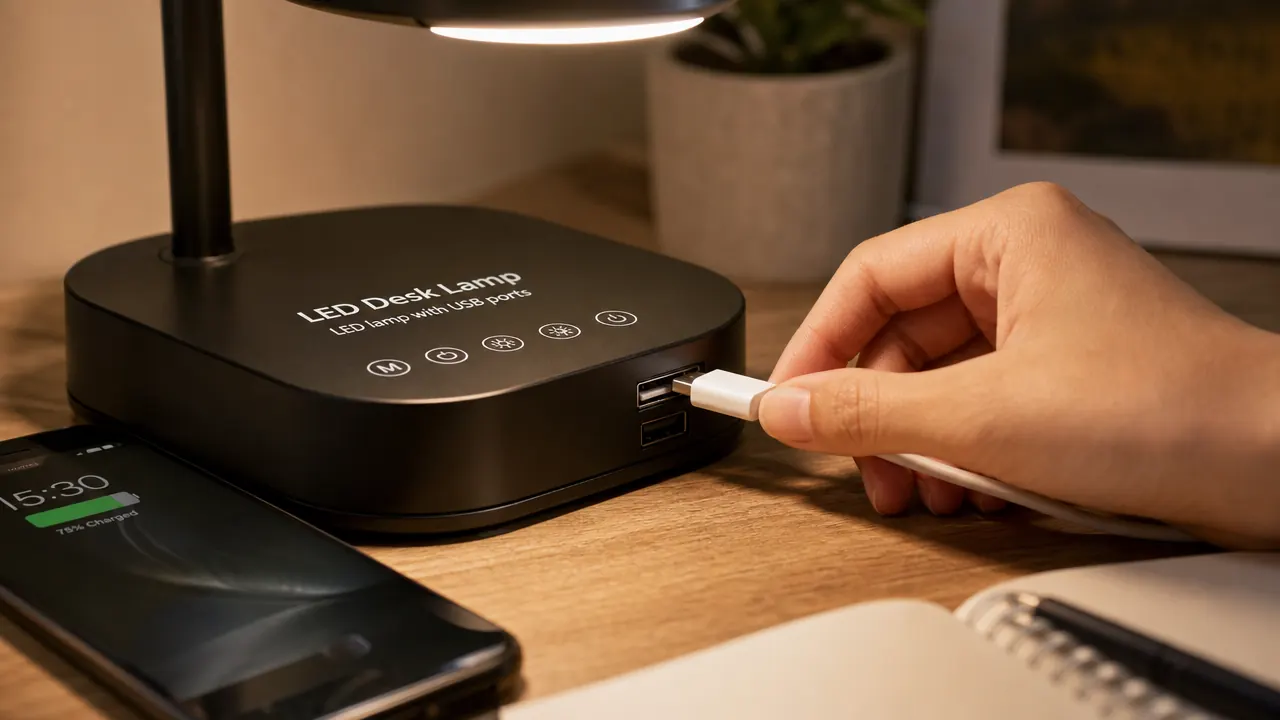
The lamp has a USB-A port built into the base. I will be honest: when I first saw this in the listing, I assumed it would be a 5W trickle-charger that barely kept a phone alive while it was in use. I was wrong. My iPhone charges at a normal rate from it, comparable to plugging directly into a standard 10W wall adapter. It is not fast-charging, but it is competent.
The real value here is cable management. I used to have a dedicated phone charger cable draped across my desk or dangling off the back edge. Now the cable runs neatly from the lamp base to where my phone sits while I work. One fewer thing competing for my wall outlets. For a desk where every outlet is already claimed by monitors, speakers, and laptop chargers, that matters more than it sounds.
The caveat: the port is USB-A, not USB-C. If your devices are all USB-C, the port is less useful unless you keep a dongle or an adapter around. This is a product design decision that reflects when it was designed, not a defect, but it is worth knowing before you buy.
Build Quality, Arm Flexibility, and the Touch Controls
The arm is plastic over a metal internal rod. It flexes to position and holds that position reasonably well. I would put it at about a 7 out of 10 for stiffness. Over time, I noticed the neck drifts maybe five degrees downward from where I set it, particularly if I bump it accidentally. It is not dramatic, but a stiffer neck would be better. The head locks into a range of angles so you can tilt the light panel to direct the beam where you need it.
The base is weighted and stable enough that I have never knocked it over by accident, and I tend to reach across my desk frequently. It takes up a circle roughly four inches in diameter at the footprint, which is modest. The power cable runs out the back at desk level, which keeps it tidier than lamps where the cable exits from under the base and spreads in all directions.
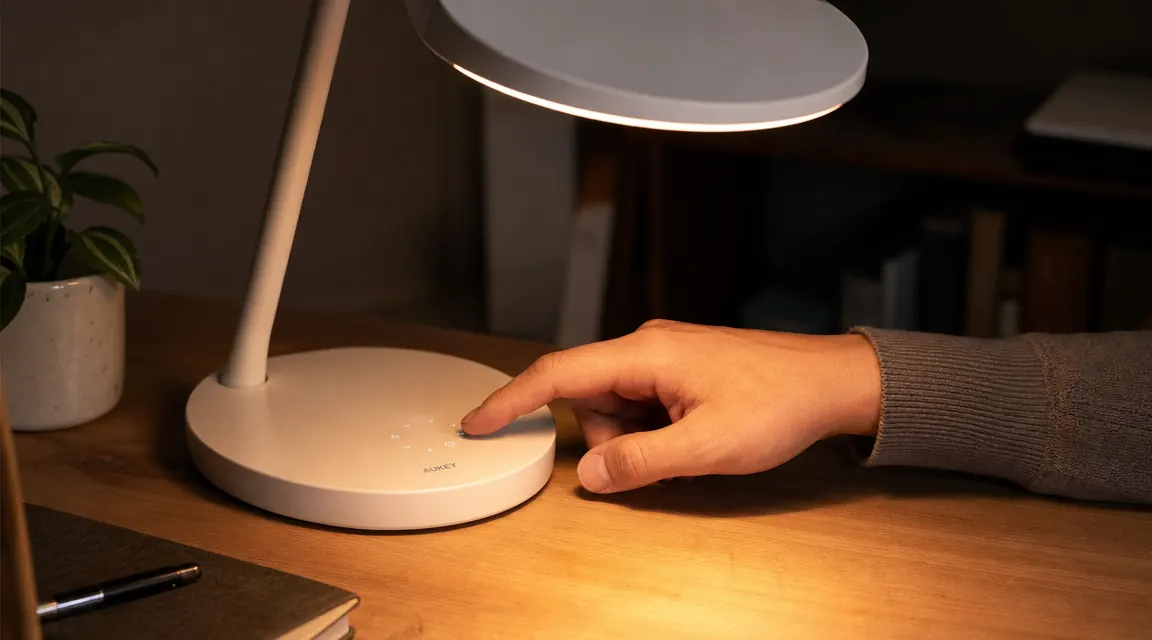
The touch controls live on the base as a row of sensor pads. One tap cycles through color modes. Holding down on the brightness pad dims or brightens continuously. After a couple of days, these actions become muscle memory. I never have to look at the base to operate it, which is what you want from a touch interface. There is no physical click or feedback other than the light itself changing, so if you are the kind of person who needs tactile confirmation from buttons, you will need a brief adjustment period.
Footprint, Glare Control, and Working Without Eye Strain
The light panel is wide enough to cover a standard keyboard and notebook without creating a hot spot directly under the lamp. The diffuser built into the head spreads the beam and eliminates the sharp-edged shadow you get from bare LED arrays. I never see a bright spot on my monitor from this lamp when it is positioned correctly, meaning light falls onto the desk surface rather than facing the monitor directly.
I mentioned at the start that my eye fatigue drove this purchase. Here is the honest eight-month accounting: my afternoon eye burning largely went away within two weeks of switching to this lamp at the 4000K neutral mode. I cannot say with certainty whether the color temperature, the flicker reduction, the better beam diffusion, or simply having more targeted task lighting was the deciding factor. Probably a combination of all four. What I can say is that the symptom I was trying to fix got fixed, and this lamp was the main change I made.
If you are pairing it with a monitor, position the lamp so it lights your desk and keyboard from the side, not from behind the monitor pointing toward your face. That positioning difference alone accounts for most glare complaints I have seen in the one-star reviews, and it is entirely a setup issue, not a product defect.
What I Liked
- Five color temperature modes cover every real working scenario from focused day sessions to wind-down evenings
- Eleven brightness levels offer a genuinely useful range, not just bright and brighter
- USB-A charging port works reliably and simplifies desk cable routing
- Touch controls become intuitive fast and respond consistently after eight months of use
- Wide diffused light panel eliminates hot spots and sharp shadows across the work surface
- Modest footprint at the base keeps it from eating up desk real estate
Where It Falls Short
- Arm neck loses a few degrees of tilt over time, especially after accidental bumps
- USB-A only, not USB-C, which limits its utility for newer devices without an adapter
- Lowest brightness shows faint pulse under slow-motion camera; may be a factor for anyone with light sensitivity
- No memory function: returns to the same default mode every time it is powered on, so you re-select your preferred settings each session

Who This Is For
This lamp is the right call for remote workers and home-office regulars who spend six or more hours a day at a desk and have started noticing eye fatigue by mid-afternoon. If you are currently using overhead lighting only, or a single-mode lamp with no brightness adjustment, the step up to five color modes and eleven brightness levels will be immediately noticeable. It is also a good fit for anyone working in a room where natural light is inconsistent, either because the window faces the wrong direction or because the season changes the light dramatically. The price is low enough that it is an easy experiment. If it does not make a difference for you, returning it costs nothing.
It also works well as a secondary lamp for someone who already has a good overhead fixture but wants focused task light on the desk surface. The narrow footprint and flexible arm make it easy to tuck into a setup without crowding out other gear.
Who Should Skip It
If you need a lamp that holds a precise angle without any drift, especially for detailed drafting work, photography lighting, or tasks where beam position cannot shift even a few degrees, the arm rigidity here will frustrate you. There are lamps with steel-jointed arms and locking knuckles at twice the price that solve that problem better. Similarly, if all your devices are USB-C and you were counting on the charging port as a meaningful feature, the USB-A limitation will feel like a miss. And if you want a lamp that remembers your last settings when you unplug and replug it, this one does not have that. Each power cycle starts fresh.
For comparison, I have also looked closely at ring lights as a home office lighting solution. They work well for video calls specifically, but they are not designed for eight hours of task lighting. If you want a deeper breakdown of when each makes sense, the comparison in LED desk lamp vs ring light for home office covers the specific tradeoffs. And if you are trying to understand why lighting matters as much as it does for a long workday, 10 reasons an eye-care desk lamp matters walks through the practical case.
Eight months in and I would buy it again. The eye-strain relief alone paid for it in the first week.
Check the current price on Amazon. Over 13,900 reviews at 4.5 stars. Touch controls, five color modes, USB charging built in, flexible arm. Ships fast.
Amazon Check Today's Price on Amazon →