
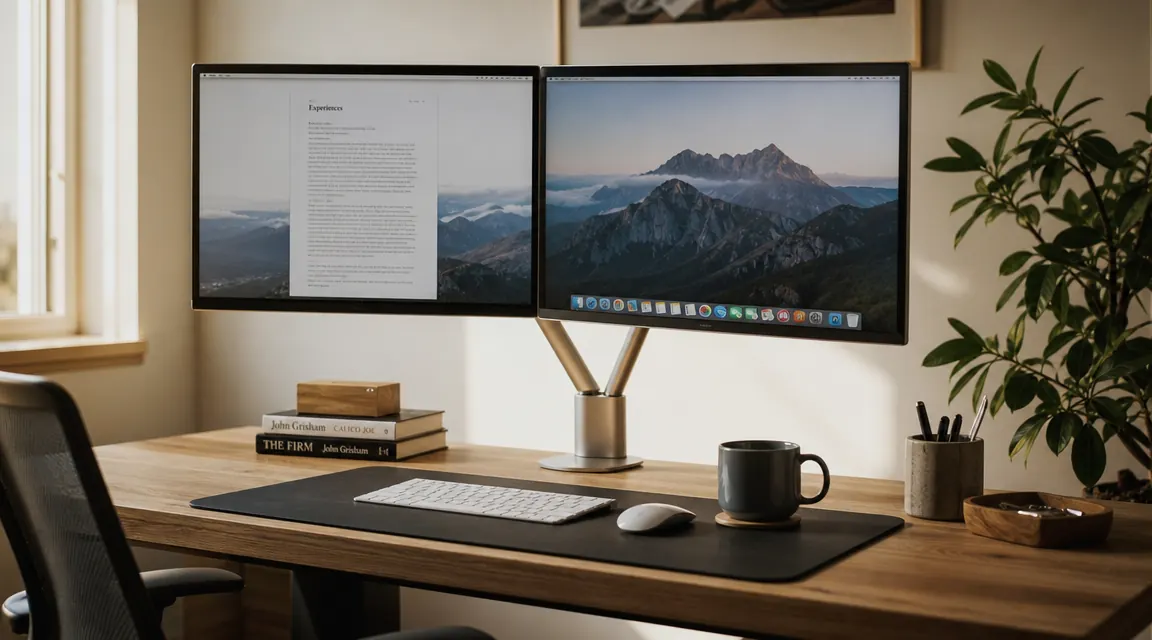
I put the HUANUO dual monitor arm on my desk last spring, tightened the clamp down onto a 1.5-inch-thick IKEA tabletop, and have been staring at it for about twelve months since. Two 27-inch monitors, both 1440p, one LG and one Acer, each sitting just under 13 pounds. Eight-hour days, most of them. When I ordered it I was mostly trying to get my desk back. The two stock stands were eating about a third of the surface and the cables were a mess. One year later I have some opinions.
What I did not expect was that the arm would change how I actually work, not just how the desk looks. Moving a screen out of the way to review a printed document, pulling both monitors forward for a long reading session, tilting one down slightly for spreadsheets and leaving the other flat for video calls. Those small adjustments happen instinctively now. But I'm getting ahead of myself. Let me start with what you need to know before buying.
The Quick Verdict
A genuinely well-built dual monitor arm at a price point that makes the Ergotron argument hard to win. Minor cons around desk thickness limits and initial tension setup, but nothing that changes the recommendation for most home office setups.
Amazon Check Today's Price →Your desk is smaller than you think. A monitor arm gives it back.
The HUANUO fits 13 to 32 inch screens, installs in under 30 minutes, and removes both stock stands without a single screw hole in your desk. Check current pricing on Amazon.
Amazon Check Today's Price on Amazon →How I've Used It
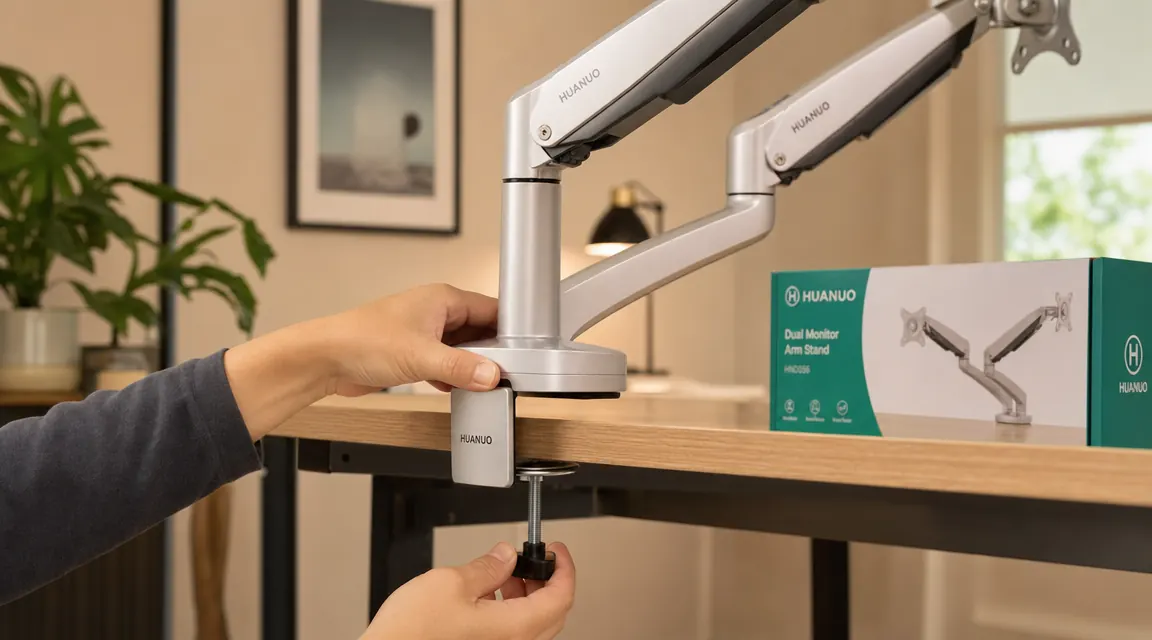
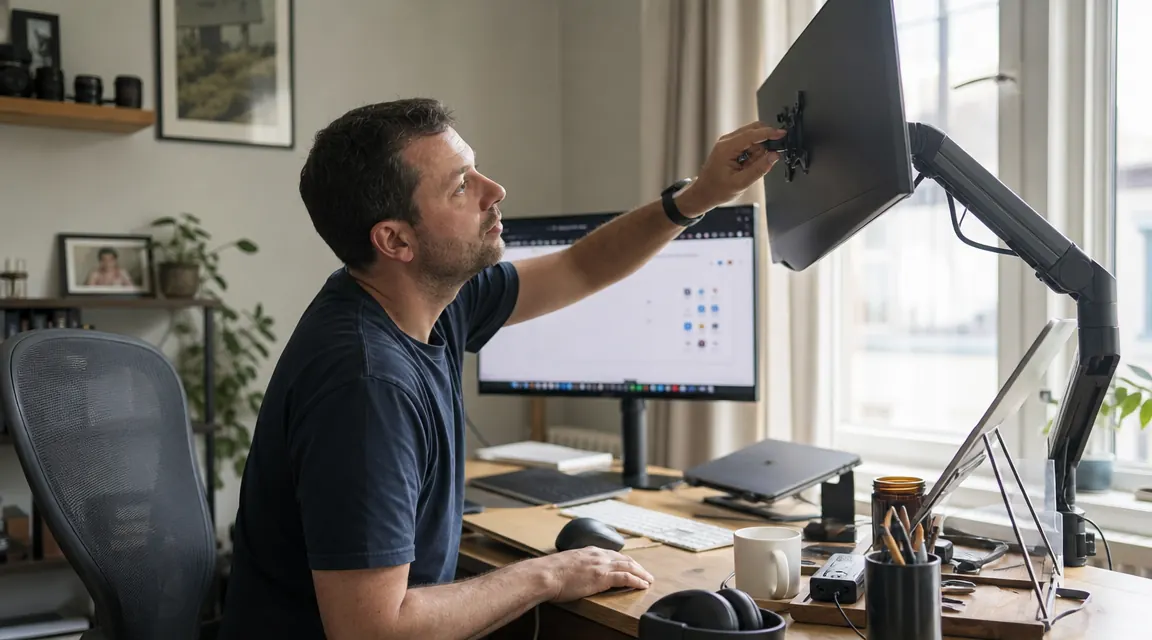
The setup took about 25 minutes including stopping to read the instructions twice. The C-clamp base goes on the desk edge and tightens with a bolt underneath, no tools needed beyond a hex key that ships in the box. I ran my desk up to 1.5 inches thick before the clamp ran out of travel, which was just barely enough for my tabletop. If your desk is thicker than 2 inches or has a lip that gets in the way, measure first. The grommet mount option is in the box if you want a more permanent install, but I have never used it.
Getting the tension set took another ten minutes. Each arm has a hex screw at the main pivot that controls how much resistance the arm offers when you push a monitor up or down. Out of the box, both arms were a little loose with my 13-pound LG on one side, and the Acer on the other was borderline. I tightened each one about a quarter turn and both arms have stayed exactly where I put them since March. Not a millimeter of sag in twelve months. That matters more than it sounds.
Day to day I mostly leave the screens in the same position. But I do pull the right monitor forward and angle it in when I'm on a video call so I can see the camera and the person I'm talking to without turning my head. I push both back when I'm not at the desk, which gives me the surface space I needed in the first place. The articulation range is wide enough that these moves feel natural, not like you're fighting the arm.
Clamp and Desk Fit: What to Know Before You Order
The C-clamp is the part most people skip reading about and then complain about in reviews. It fits desk surfaces from about 0.4 inches up to roughly 2.4 inches thick. That covers most home office desks including IKEA tops, standard melamine boards, and most solid wood surfaces. Where it gets tight is if your desk has a rear rail or a thick front lip that the clamp jaw can't clear. My IKEA Lagkapten top is flat all the way to the edge, so no issue. If you have a desk with a beveled front edge or a modesty panel, test the clearance before buying.
The clamp base plate sits flat on the desk surface and is about four inches wide. It leaves no marks under normal use. I have had it off once to reroute cables underneath and the desk surface looked fine. The rubberized pad on the underside of the clamp jaw does its job, though I put a thin piece of craft foam on top of the desk surface under the base plate just to be safe. Not required, but the desk is rented furniture.
One real limitation: the single pole design means both arms share one mounting point. The pole is rated for combined screen weight up to about 26 pounds total, which works for most standard setups. Two 27-inch 1440p screens typically come in under that. Two 32-inch 4K panels can push closer to the limit depending on the model, so check your individual screen weights before ordering.
Arm Range and VESA Compatibility
VESA 75x75 and 100x100 are both supported, which covers the vast majority of monitors sold in the last ten years. The adapter plates in the box handle both patterns. Installation is four screws per screen, and the VESA bracket clicks onto the arm head with a quick-release mechanism that lets you detach a screen in about ten seconds without tools. I have removed and reattached both monitors twice during cable rerouting and the release worked cleanly both times.
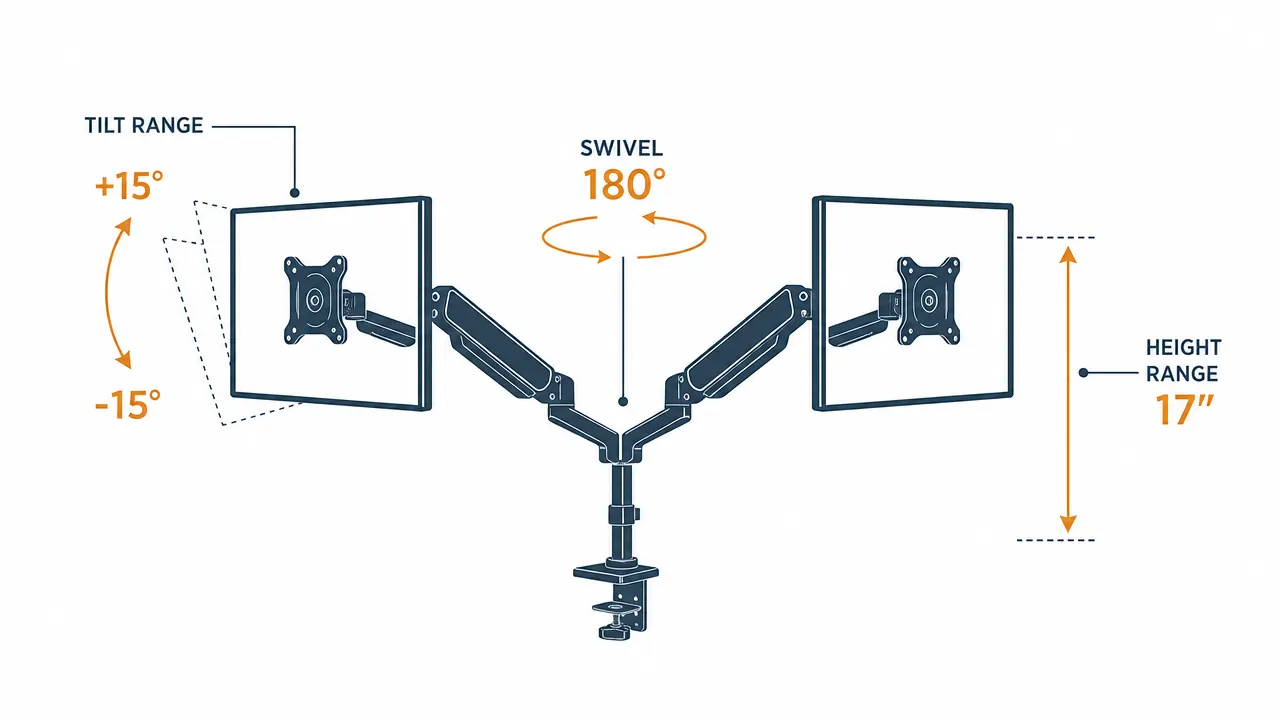
The height range is roughly 17 inches from lowest to highest position on the vertical pole. Each arm can tilt up to 15 degrees in each direction and swivel about 180 degrees left and right. For most seated or standing desk setups that is more than enough travel. I use maybe a quarter of the available range on a typical day. If you are switching between sitting and standing, the arm moves easily enough that you can reset the height in a few seconds without any tools.
The one scenario where the range feels limited is if you want to go portrait orientation on one screen while keeping the other landscape. The arm joint allows rotation, but the cable management channel on the arm is not really designed for portrait and you end up with cable strain at the head. Not a dealbreaker but worth knowing if portrait orientation is a priority for you.
Cable Routing: Better Than Most at This Price
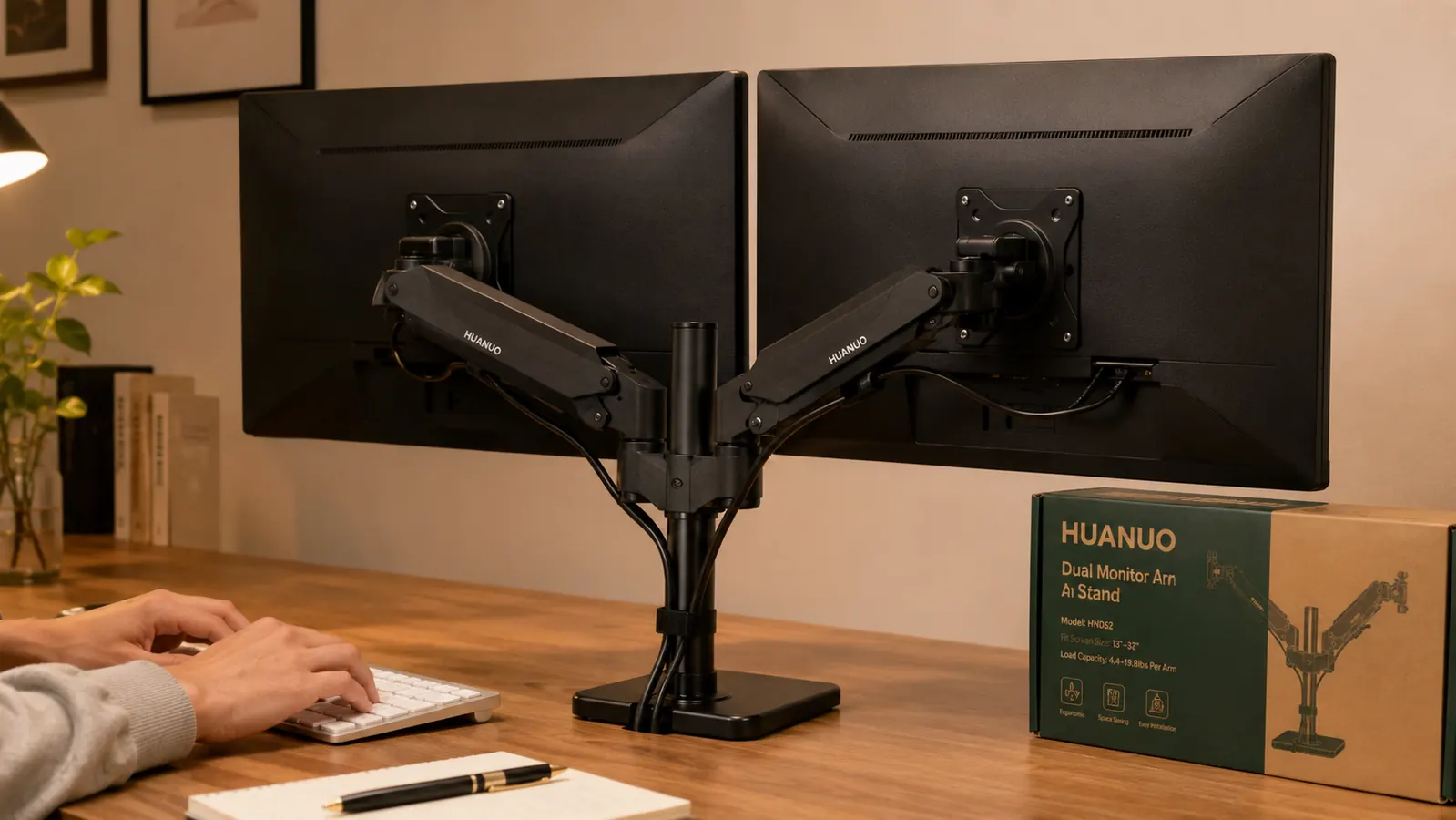
This is the thing that genuinely surprised me. Monitor arms at this price often have cosmetic cable management, meaning a velcro strap or two and a clip that does not hold much. The HUANUO has an actual channel molded into the back of each arm that runs from the screen head down to the pole mount. It fits a DisplayPort cable and a USB-C cable side by side with a little room left over. HDMI cables are slightly fatter and fit but require a bit more encouragement.
When you route cables properly through the arm, the desk is clean and the cables move with the screen when you reposition it. They do not pull or bind. I have three cables per monitor (DisplayPort, USB hub connection, and a USB-C for charging a laptop occasionally) and the channel handles two of the three cleanly. The third I secure with a small velcro strap at the base. It is not perfect, but it is considerably better than leaving cables to dangle.
Sag Over Time: The Twelve-Month Report
This is the question I get asked most often when people find out I have had the arm for a year. Does it sag? Does the tension loosen up over time? The short answer is no, not perceptibly. Both screens are in the same position I set them in spring of last year. I have not touched the tension adjustment screws since the initial setup.
Both screens are in the same position I set them in spring. Twelve months, no tension adjustment, no creep. At this price point I was not expecting that.
I will give one caveat: I do not move the screens constantly. I make positioning changes maybe three or four times a week. If you are someone who repositions your monitors several times a day, you may see the tension loosen faster and need to tune it more frequently. The adjustment is simple and takes thirty seconds when you do need it. But my experience over a year of moderate use has been that set it and leave it actually works.
The finish has held up well too. No peeling, no surface rust on the exposed steel joints, no plastic cracking anywhere. The articulation joints still feel the same as they did when new. I was a little worried about the pivot points yellowing or getting sticky in a warm home office environment during summer. None of that happened.
Screen Size and Weight: What Actually Fits
The listed range is 13 to 32 inches. That is the screen diagonal. My 27-inch monitors are well within that range and work without any modification. I have briefly tested a 32-inch 4K panel on one arm while the other side held a 24-inch screen. The arm held it fine with the tension cranked up, but 32-inch screens tend to be heavier and the combined weight gets closer to the stated maximum. I would not run two 32-inch heavy panels on this arm for a year and expect the same drift-free experience. Two 27-inch screens in the 10 to 13 pound range each, that is the sweet spot.
Ultrawide monitors are a different story. A single 34-inch ultrawide does not belong on this arm because the arm's articulation points are not designed for that weight distribution. The HUANUO makes a separate ultrawide-specific arm for that purpose. For two standard 16:9 or 16:10 panels up to 27 inches, this is a well-matched tool. For larger panels or ultrawides, look at the right product for the job rather than pushing this one past its intended range.
What I Liked
- No sag over twelve months of daily use with two 13-pound monitors
- Cable routing channel is genuinely functional, not just decorative
- Quick-release VESA bracket makes removing a screen fast and tool-free
- C-clamp installs without drilling and covers most standard desk thicknesses
- Adjustment range is wide enough for sitting and standing desk setups
- At this price, the Ergotron argument is a hard one to make
Where It Falls Short
- Initial tension setup requires patience and some trial and error
- C-clamp has a real upper thickness limit around 2.4 inches, measure first
- Cable channel is snug with fat HDMI cables, works better with DisplayPort
- Portrait orientation with cable routing is awkward
- Not rated for two 32-inch heavy panels simultaneously
Who This Is For
This arm is a clear fit if you have two standard monitors between 24 and 27 inches, a desk with a straightforward flat edge, and you want a clean setup without paying Ergotron prices. It is also a strong choice if you work at a standing desk and want to adjust screen height during the day without manually moving anything. The articulation makes that effortless. If you are a remote worker on a budget who wants a desk that looks intentional rather than improvised, this is the hardware that gets you there fastest. The 34,000-plus reviews are not a quirk of the algorithm. The product earns them.
It is also a reasonable option for a shared home office where two people work at different heights on the same desk at different times of day. One person resets the monitors in the morning, the other in the afternoon. The resistance holds well enough that neither person is fighting the arm or dealing with screens that drift between sessions.
Who Should Skip It
If you have two 32-inch panels on the heavier end, look at a dual arm rated for higher combined weight or two single arms on separate clamps. If your desk has a thick lip or a rear rail that blocks a standard C-clamp, the grommet mounting option is included but requires a hole, and if that is a problem you may need a different mounting strategy entirely. If you rotate one screen to portrait regularly and cable aesthetics matter to you, the routing experience on this arm in portrait mode will frustrate you. And if you move your screens constantly throughout the day, expect to revisit the tension adjustment more frequently than someone like me who sets a position and mostly stays there.
For context on how this compares to the premium option in the category, see my comparison piece on the HUANUO vs Ergotron monitor arm. The short version is that the Ergotron is a better arm, but the gap is not three times better at a price that is three times higher. If you want to understand the full value argument for going with a monitor arm at all before you commit, the 10 reasons a dual monitor arm changes your workspace article walks through what you actually gain beyond the obvious.
A year in, I'd buy it again. That's the whole review in one sentence.
The HUANUO dual monitor arm supports 13 to 32 inch screens, fits most desks without drilling, and has held its position without adjustment for twelve months of daily use. Current pricing on Amazon tends to move around, so check before you buy.
Amazon Check Today's Price on Amazon →