
I spent about four years working from home before I made the switch to a sit-stand setup. My lower back was sending me daily reminders that sitting for eight hours straight is not something the human body was designed to tolerate, and every article I read said the same thing: you need to stand more. So I tried it. I stood for six hours on the first day, my feet ached by noon, and I spent the following two days sitting even more than usual just to recover. Switching from sitting to standing is not as simple as raising your desk.
The good news is there is a better way to do it, and it does not require buying a brand-new motorized desk or gutting your whole office. A standing desk converter placed on top of your existing desk is the most practical starting point for most home office workers, and if you follow a sensible transition schedule, you can build toward comfortable, healthy sit-stand work over two to three weeks without pain or fatigue. This guide walks through exactly that process, step by step.
Your current desk is fine. This converter turns it into a sit-stand workstation in about 30 seconds.
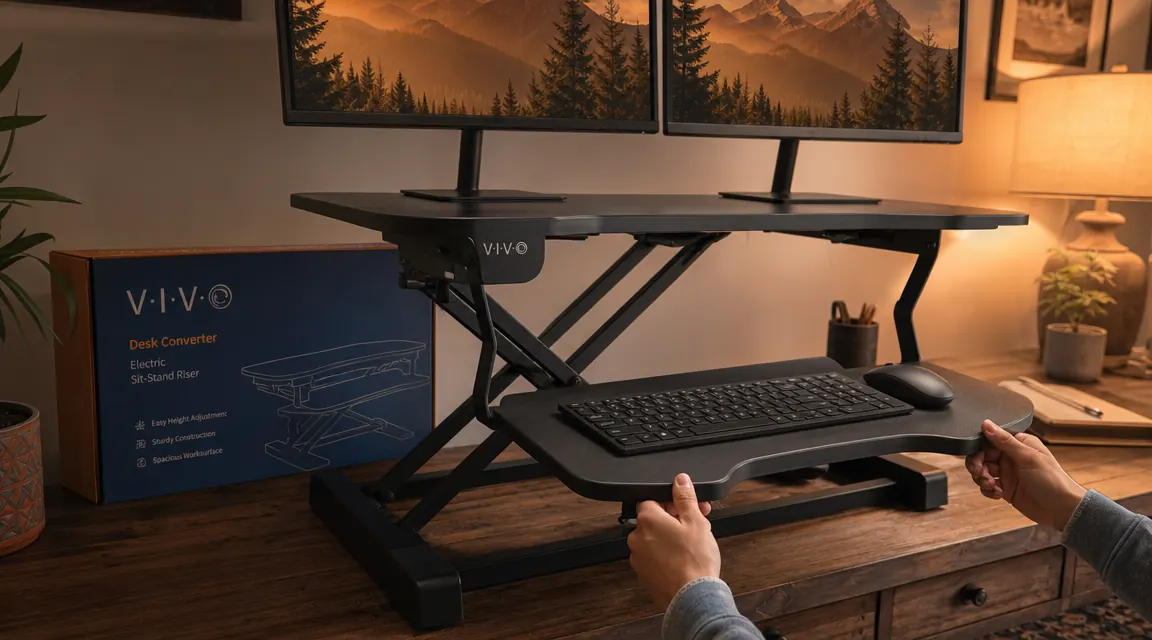
The VIVO K Series standing desk converter has 4.6 stars across more than 12,000 reviews. It sits on top of any desk, raises your monitors and keyboard together, and drops back down just as fast. No tools, no permanent installation, no replacing the desk you already own.
Amazon Check Today's Price on Amazon →Step 1: Start With a Converter, Not a Whole New Desk
The single biggest mistake people make at the start of a sit-stand transition is buying a motorized standing desk before they know whether standing regularly will actually stick for them. A full standing desk runs anywhere from $400 to over $1,000, and if you discover after three weeks that you hate standing, that is a painful and bulky lesson. A standing desk converter is the smarter first move.
A converter, sometimes called a desk riser, sits on top of your existing desk. You raise it when you want to stand, lower it when you want to sit, and your existing desktop, drawers, and monitor setup stay in place. The VIVO K Series converter is 32 inches wide, handles dual monitors and a laptop, and adjusts through a gas-spring mechanism that takes no effort to operate. I have been using mine on a standard five-foot desk and it leaves plenty of room on either side for a notebook and a coffee.
If you try the sit-stand routine for a month and decide you want to invest in a full motorized desk down the road, great. You will have learned your preferences first and you will know exactly what height settings work for your body. But for most home office workers, a good converter is all they ever need, and at the current price for the VIVO K Series it is a fraction of the cost of replacing a desk.
Step 2: Set the Correct Standing Height Before You Use It
This step gets skipped more than any other, and it is the one that most directly determines whether standing feels good or makes things worse. The wrong height is not just uncomfortable, it can create new shoulder, neck, or wrist strain that makes you feel like standing is inherently bad when the real problem is the setup.
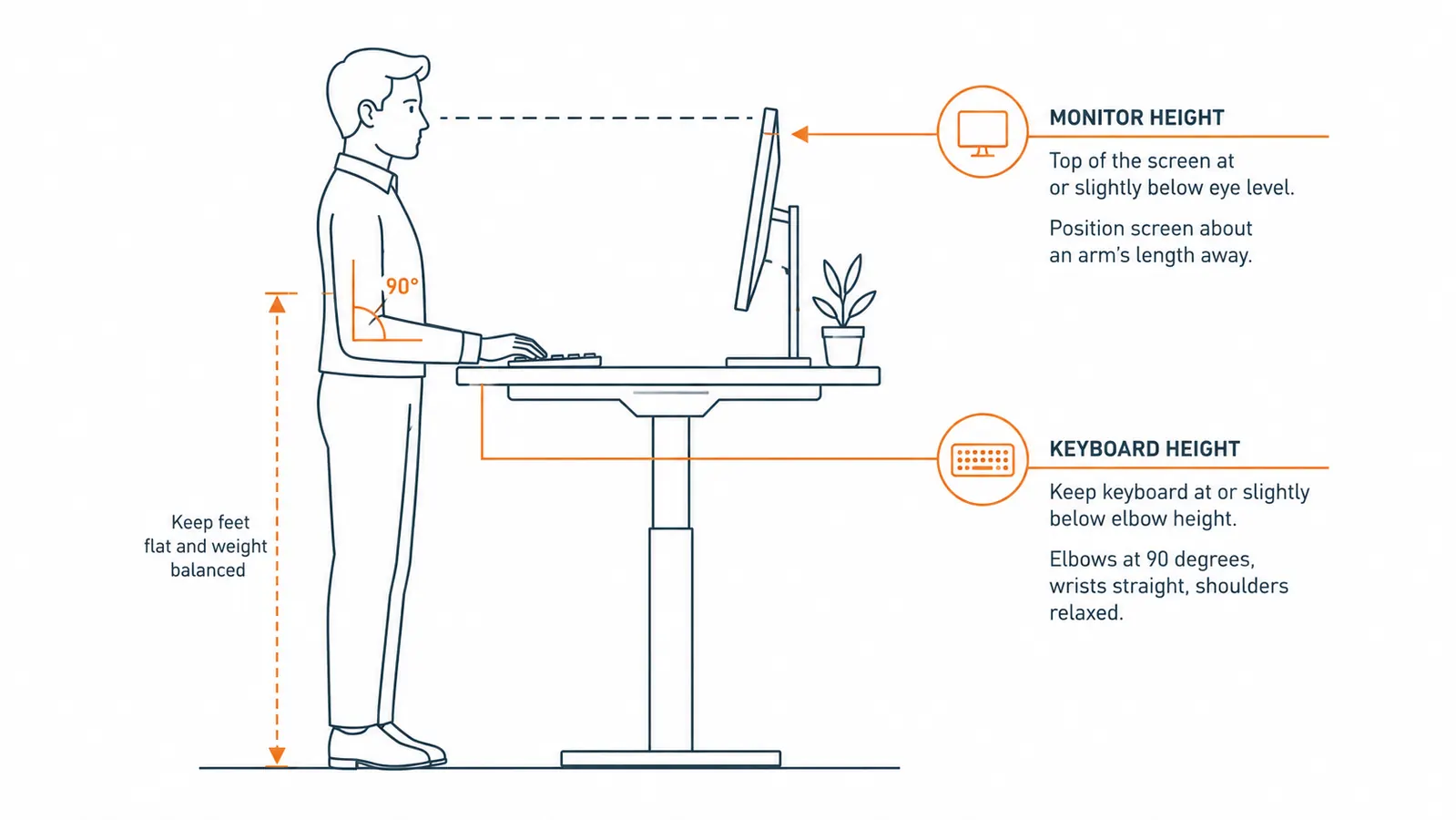
The rule is simple: stand tall, let your arms hang naturally at your sides, then bend your elbows to 90 degrees. That elbow height is where your keyboard should sit. From there, position your monitor so the top edge of the screen is at or just below eye level. You should be able to read the center of the screen without tilting your chin up or down. If you wear progressive or bifocal lenses, you may need to drop the screen slightly lower than eye level to read comfortably through the correct lens zone.
The VIVO K Series has a wide height range, so most people can dial in a correct position without any workarounds. The keyboard tray is attached and moves with the main platform, which is important because a separate keyboard tray at a different height than your monitors is a common source of wrist and shoulder problems. Get the height right before you start, even if it takes five minutes of adjustment.
Step 3: Ease In With a Sit-Stand Schedule
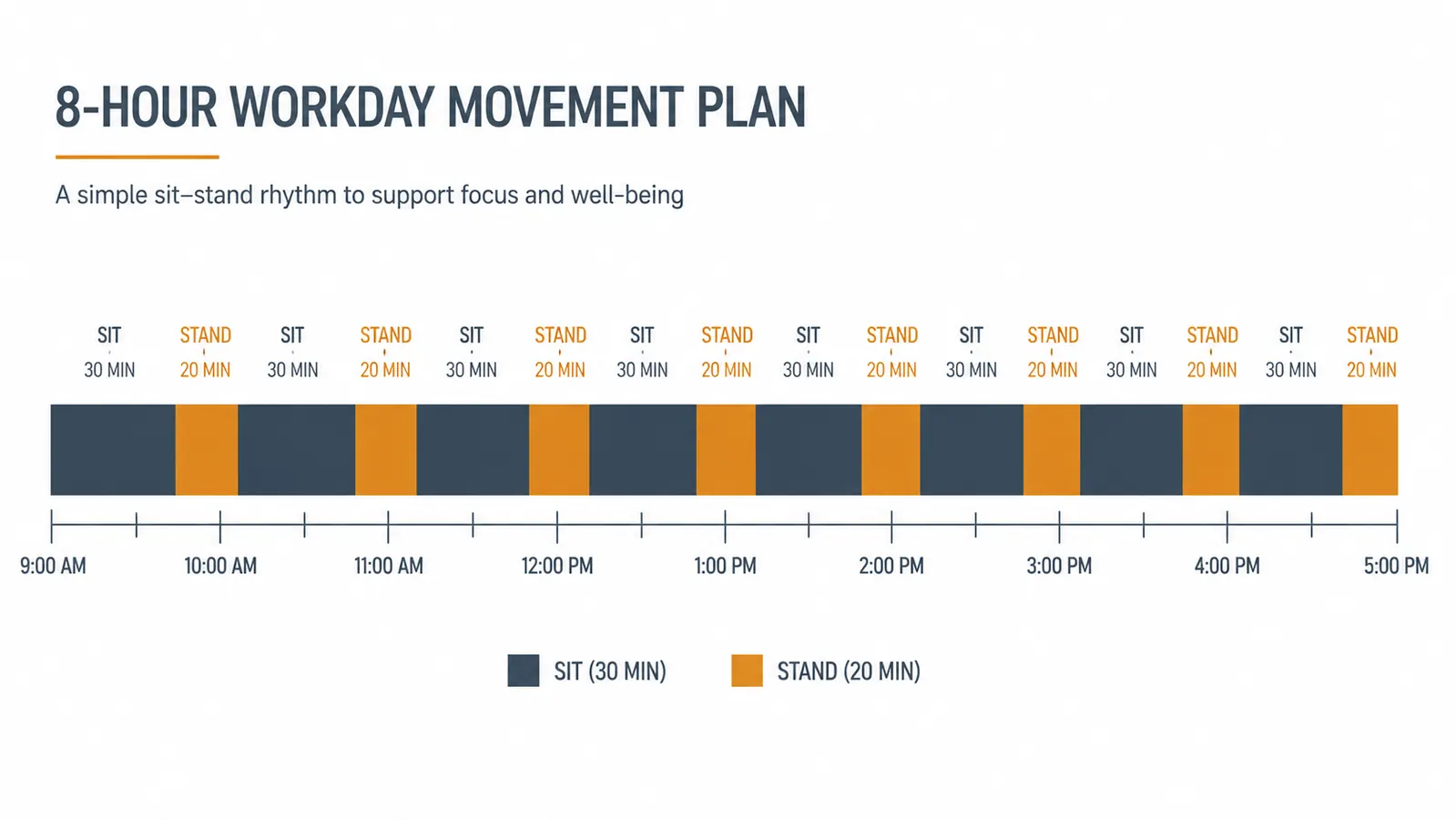
Standing all day is not the goal and it is not better than sitting all day. The research on this is pretty consistent: both sustained sitting and sustained standing are hard on your body. What helps is movement and alternation. The target for most people is somewhere around one-third of the workday standing, built up gradually over two to three weeks.
In week one, aim for two or three standing intervals per day of about 20 minutes each. Put one right after you start your morning, one after lunch when the afternoon drag sets in, and one optional block in the late afternoon if you feel up to it. Between standing periods, sit normally. Do not force yourself to stand through discomfort in week one. The goal is to let your feet, calves, and lower back adapt gradually.
By week two you can extend your standing periods to 30 minutes and add a fourth block if you like. Most people find that somewhere around week three the transition clicks: standing no longer feels like an effort and starts to feel like a welcome break from sitting. A simple timer on your phone is the most reliable prompt. I used a 30-minute interval timer for the first three weeks and then stopped needing it once the habit was set.
Step 4: Add an Anti-Fatigue Mat
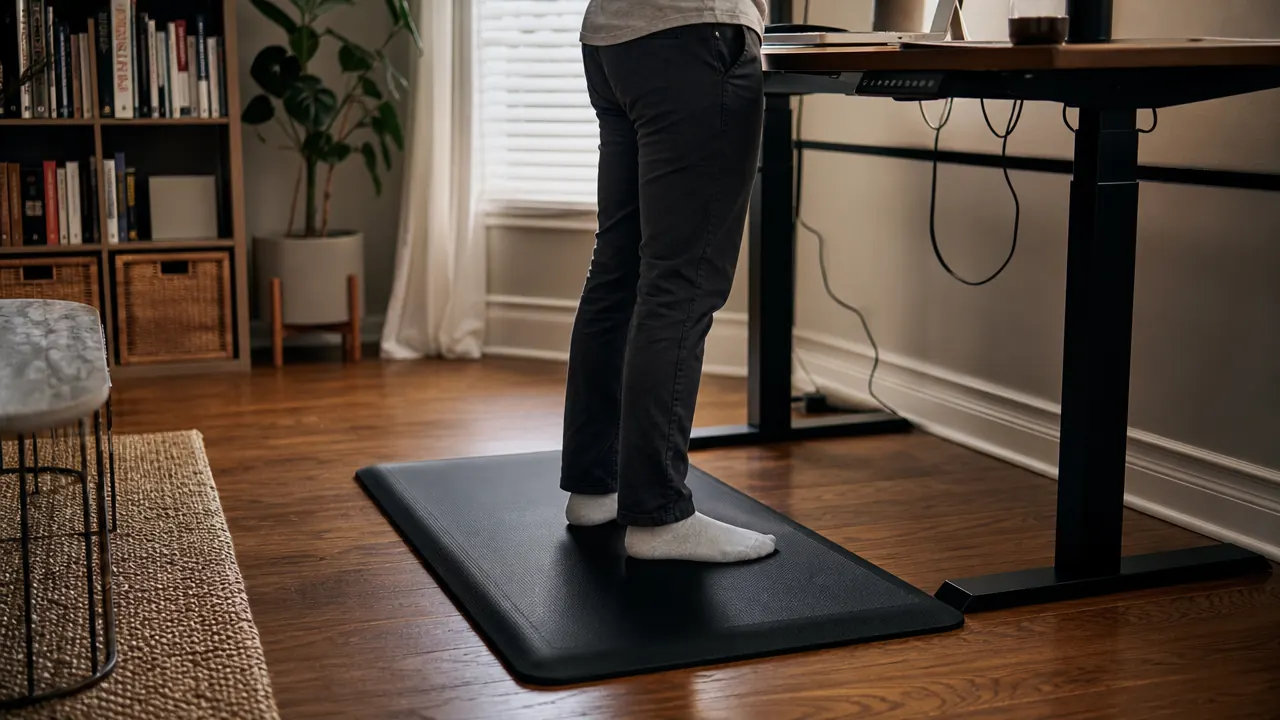
I skipped the anti-fatigue mat for the first two weeks of my own transition and I regret it. Standing on a hard floor, even in thick socks or shoes, transmits a lot of fatigue up through your feet and knees. The mat is not optional if you plan to stand for more than a few minutes at a time on hardwood, tile, or laminate flooring.
A good anti-fatigue mat sits anywhere from half an inch to an inch thick with a dense foam or gel core that absorbs impact and encourages micro-movements in your legs. Those small shifts in stance are exactly what keeps blood circulating and prevents the dull ache that makes people give up on standing. You do not need an expensive brand. Look for something at least 20 by 32 inches, waterproof or easy-clean surface, and at least 3/4 inch thick.
I keep mine rolled up under my desk when I am sitting and unroll it when I raise the converter. Takes about three seconds. If you work in a small space and a mat feels like an obstacle, a thick cushioned pair of indoor slippers can substitute in a pinch, but a proper mat makes a genuine difference over a full standing block.
Step 5: Listen to Your Body and Adjust the Setup
The sit-stand transition is not one-size-fits-all. After about two weeks you will have enough data from your own body to start customizing the routine. Some people do better with shorter, more frequent standing periods. Others find they naturally want to stand for longer stretches and sit less. Neither is wrong.
Pay attention to where discomfort shows up when it does. Lower back ache during standing usually means the keyboard or monitor is too low and you are rounding your shoulders to compensate. Neck stiffness usually means the monitor is too low and you are dropping your chin. Wrist fatigue typically points to a keyboard that is too high and causing your wrists to angle upward. Every one of these problems is fixable with a quick height adjustment on the converter.
If you are sore after standing, reduce the duration of your blocks for a few days rather than abandoning the habit entirely. Building to a comfortable sit-stand routine takes most people two to four weeks, and the path rarely runs perfectly straight. The fact that it takes adjustment does not mean it is not working. It means you are paying attention.
What Else Helps
Beyond the five steps, a few small habits separate the people who stick with sit-stand work from the ones who let the converter collect dust. First, wear proper footwear when you stand, or at minimum flat-soled shoes without high heels. Heels shift your center of gravity and compress your lower spine. Second, move deliberately during standing blocks. Rock gently heel-to-toe, shift your weight side to side, or step in place for 30 seconds. The mat helps, but your legs still benefit from intentional movement. Third, keep a water bottle within reach at your standing position. It sounds small, but having a reason to lift and sip keeps your shoulders from locking up. Finally, if you work primarily on video calls, standing during calls is one of the easiest ways to add standing time without disrupting your workflow. You sound more energetic on calls when you are upright, your voice carries better, and the time passes faster than standing through focused writing or spreadsheet work.
Standing all day is not the goal. The research points to alternation, not endurance. One-third of the workday standing, built up over two to three weeks, is where most home office workers land and where it stops feeling like a project.
The VIVO K Series standing desk converter is the tool I recommend as a starting point because it covers the essentials without overcomplicating the setup. It holds dual monitors and a laptop together on a single platform, the gas-spring lift is smooth and requires no effort to operate, and it ships fully assembled so setup takes a few minutes, not an afternoon. You can read more detail in my full nine-month use report in the VIVO standing desk converter review, and if you are still weighing whether a converter is worth it at all, the breakdown in 10 reasons a standing desk converter is worth the investment covers the practical case from a different angle.
If you have been thinking about making the switch, the hardest part is starting. The converter removes the barrier.
The VIVO K Series 32-inch standing desk converter is the most practical first step for most home office setups. No desk replacement, no tools, no permanent changes. Raises and lowers in seconds. Over 12,000 buyers have left it at 4.6 stars.
Amazon Check Today's Price on Amazon →